Updating WiFi Credentials
I changed my router / updated my WiFi password, how can I update my WiFi settings on the Smart Oil Gauge?
To start, connect your phone to the WiFi network you would like to connect the Smart Oil Gauge to. Then, open the app follow the instructions below:
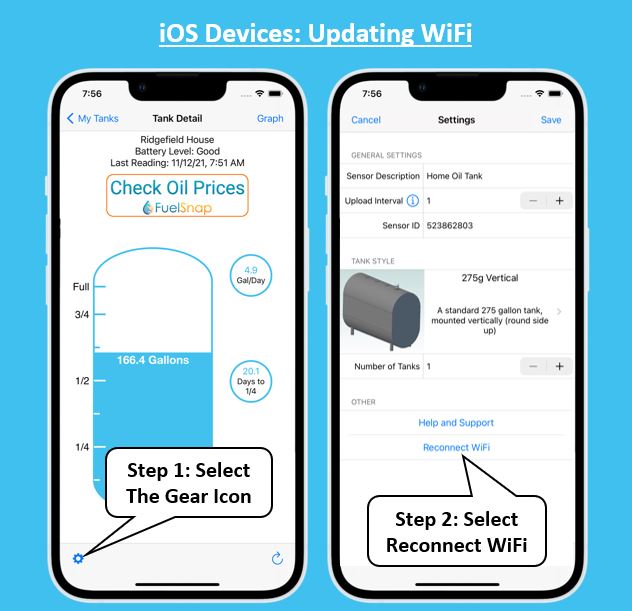
- For iOS devices, select the gear icon in the bottom left of the page, then
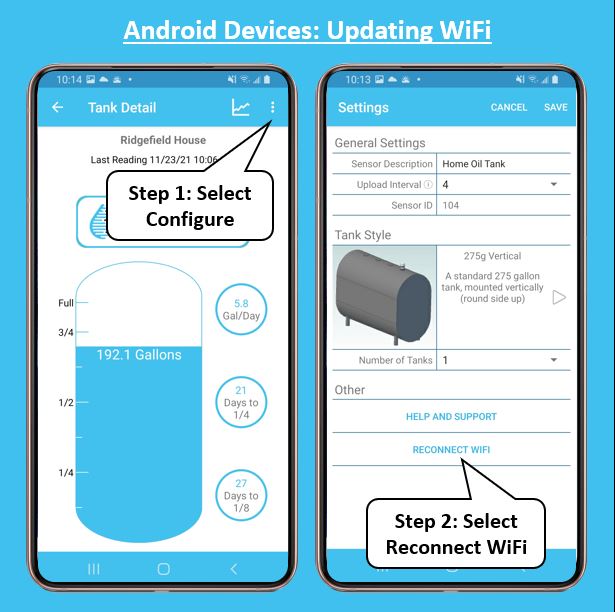
- for Android devices, select the three dots in the top right, then select ‘Configure’ and follow the instructions to update WiFi.
- Once it has connected to the new network, the app will ask you if you are setting up a new gauge, or just updating WiFi; select update WiFi and you are all set!
Alternate Method
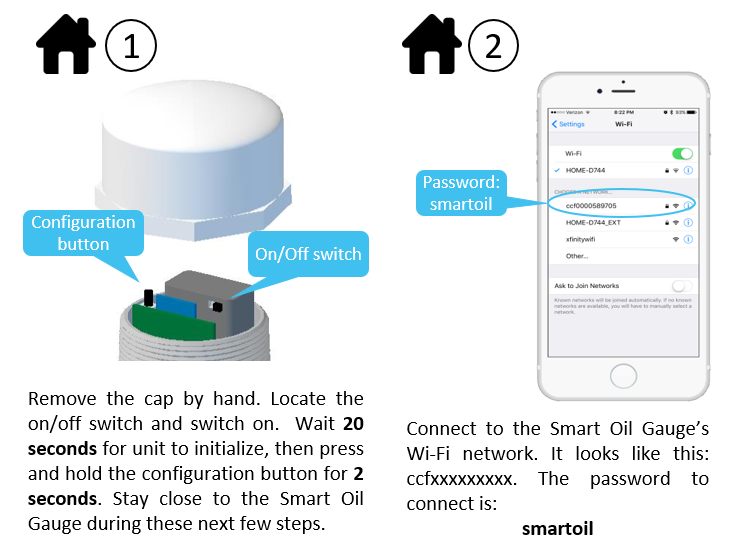
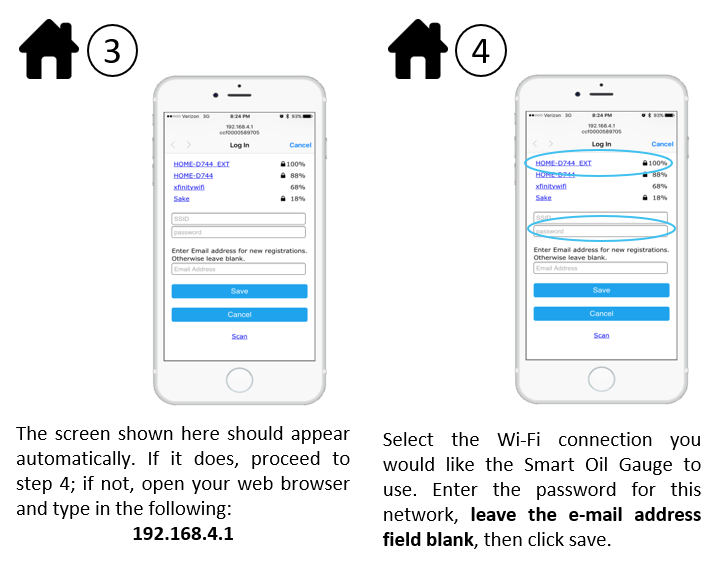
If you are not successful updating the WiFi via the in-app method (sometimes this happens with Orbi, Eeros, or Google Mesh WiFi networks), follow these instructions below.